


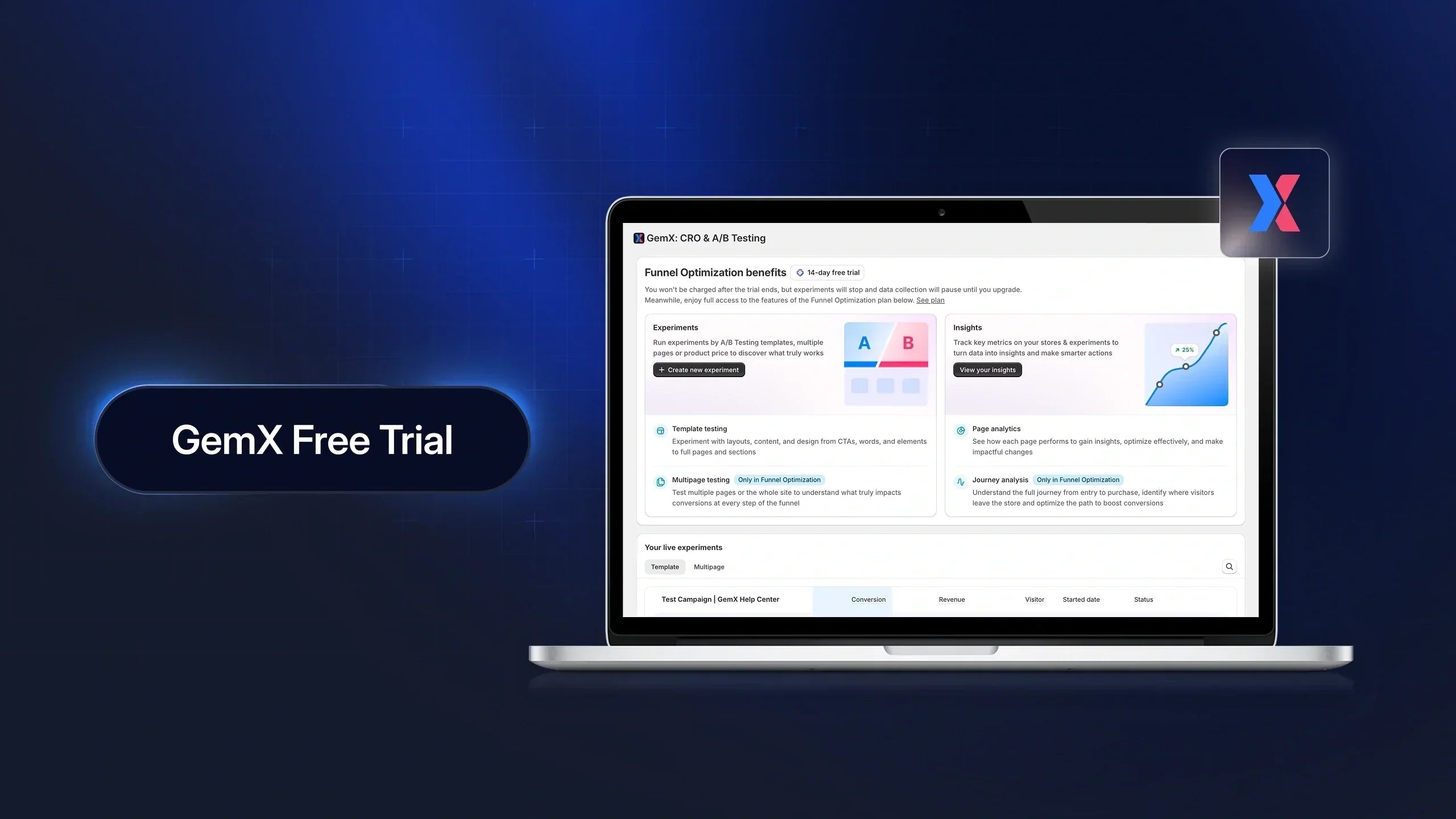
GemX offers a 14-day free trial so you can explore its full A/B testing and CRO capabilities before committing to a paid plan.
There are two ways to access a free trial in GemX:
-
New users get an automatic trial when installing the app
-
Existing users can start a trial of a higher plan before upgrading
This guide breaks down how each type of free trial works, what you get during the trial, and what happens once it ends.
Free Trial for New Users (Auto-Applied)
Important note: This guide focuses on how the free trial works for new users. For upgrading to a higher plan, see the section below.
How the Free Trial Starts
When you install GemX for the first time, the free trial is automatically activated—there’s no manual setup required.
To get started, you simply need to:
-
Install GemX from the Shopify App Store
-
Activate GemX in your Shopify theme
As soon as GemX is active on your live theme, your 14-day free trial begins immediately.

You don’t need to select a plan, enter payment details, or configure anything beforehand. The experience is designed to be frictionless so you can start testing right away.

What’s Included in the Free Trial
During the trial period, you get full access to all features, which are included in the highest-tier pricing plan.
This means you can:
-
Run A/B tests across key pages like landing pages, product pages, or even your entire funnel
-
Analyze user journeys to understand where visitors drop off
-
Track experiment performance using GemX’s built-in analytics
-
Test directly on your live store using real traffic and real customer behavior

There are no feature restrictions during the trial, so you can evaluate how GemX performs in real-world conditions.
Will You Be Charged During the Trial?
You will not be charged at any point during the free trial.
GemX does not require an upfront payment, and there are:
-
No subscription fees
-
No usage-based charges
-
No hidden costs in the background
Even if you actively run experiments, collect data, and use advanced features, your store will not be billed during the 14-day period.
How Long the Free Trial Lasts
The free trial lasts for 14 consecutive days, starting from the moment GemX is activated in your Shopify theme.
A few things to keep in mind:
-
The countdown begins immediately after activation
-
The trial follows your store’s Shopify timezone
-
The trial cannot be paused, reset, or restarted by reinstalling the app
Because of this, it’s recommended to start your trial when you’re ready to actively test and explore the platform.
What Happens After the Free Trial Ends
Once the 14-day trial ends, your access to active experimentation will be paused.
Specifically:
-
Any running experiments will stop
-
Your existing data and results will remain accessible
-
You can choose to upgrade to a paid plan at any time to continue testing
If you decide not to upgrade, nothing will be charged automatically. Your store simply remains inactive until you select a plan.
Important note: GemX will only start billing after you explicitly confirm a subscription.
Free Trial of Higher Plan for Existing Users
If you’re already subscribed to a paid plan in GemX, you can start a 14-day free trial of a higher-tier plan to explore more advanced features before upgrading.
This is especially useful when you want to validate whether the additional capabilities actually bring value to your store, without committing upfront.
When Should You Use this Trial?
You should consider starting a higher plan trial when:
-
You want to unlock features that are not available in your current plan
-
You’re planning to scale your testing strategy beyond single-page experiments
-
You need more advanced capabilities like funnel testing or multipage experiments
-
You want to validate ROI before making a pricing decision
For example, if you’re currently on the Page Optimize plan, you can try the Funnel Optimize plan to test full customer journeys across multiple pages.
How to Activate the Trial of Higher Plan
Starting a higher plan trial is simple and can be done directly inside your GemX dashboard.
To begin:
Step 1: Go to GemX Pricing by clicking the "Plan name" in the top menu from the main dashboard.
Step 2: Select a higher plan than your current subscription.
Step 3: Click Start Free Trial.

Step 4: Confirm your selection.
Once confirmed, your 14-day trial of the higher plan begins immediately.
What Happens During the Trial
While your upgrade trial is active, your account is temporarily upgraded to the selected plan.
During this period, please note that:
-
You get full access to all features included in the higher plan
-
You can run more advanced experiments, such as multipage or funnel testing

-
Your existing setup and data remain unchanged
-
All new data generated during the trial is fully tracked and saved
This allows you to test new capabilities in real conditions without disrupting your current workflow.
What Happens After the Trial Ends
At the end of the 14-day trial, your account will not be automatically upgraded.
Which means:
-
If you choose to upgrade, your store continues on the higher plan without interruption.
-
If you take no action, your account automatically returns to your previous plan.
Your data and experiment results remain intact in both cases.
Billing and Charges
Starting a higher plan in trial does not trigger any automatic billing. You are not charged during the trial period or when the trial ends.
The billing only starts if you explicitly confirm the upgrade.
This ensures you have full control over whether or not to move to the higher plan.
Important Notes
Before starting a higher plan trial, keep in mind:
-
The trial lasts for 14 consecutive days
-
The countdown starts immediately after activation
-
Each plan tier can only be trialed once per store
-
Trials cannot be paused, extended, or restarted
To get the most value, it’s best to start your trial when you’re ready to actively test the new features.
Related Articles
If you want to go deeper or take the next step, these articles will help:
-
How to Upgrade to a Higher Plan in GemX: Learn how to switch plans and unlock more advanced features when you're ready to scale your experiments.
-
Understanding GemX Pricing Plans: Get a clear breakdown of each plan, including features, limitations, and when to choose the right one.
-
How to Create Your First A/B Test: Follow a step-by-step guide to launch your first experiment and start collecting meaningful data.
-
How to Read Experiment Results in GemX: Learn how to interpret your test results correctly and make data-driven decisions with confidence.
FAQs about GemX Free Trial


