


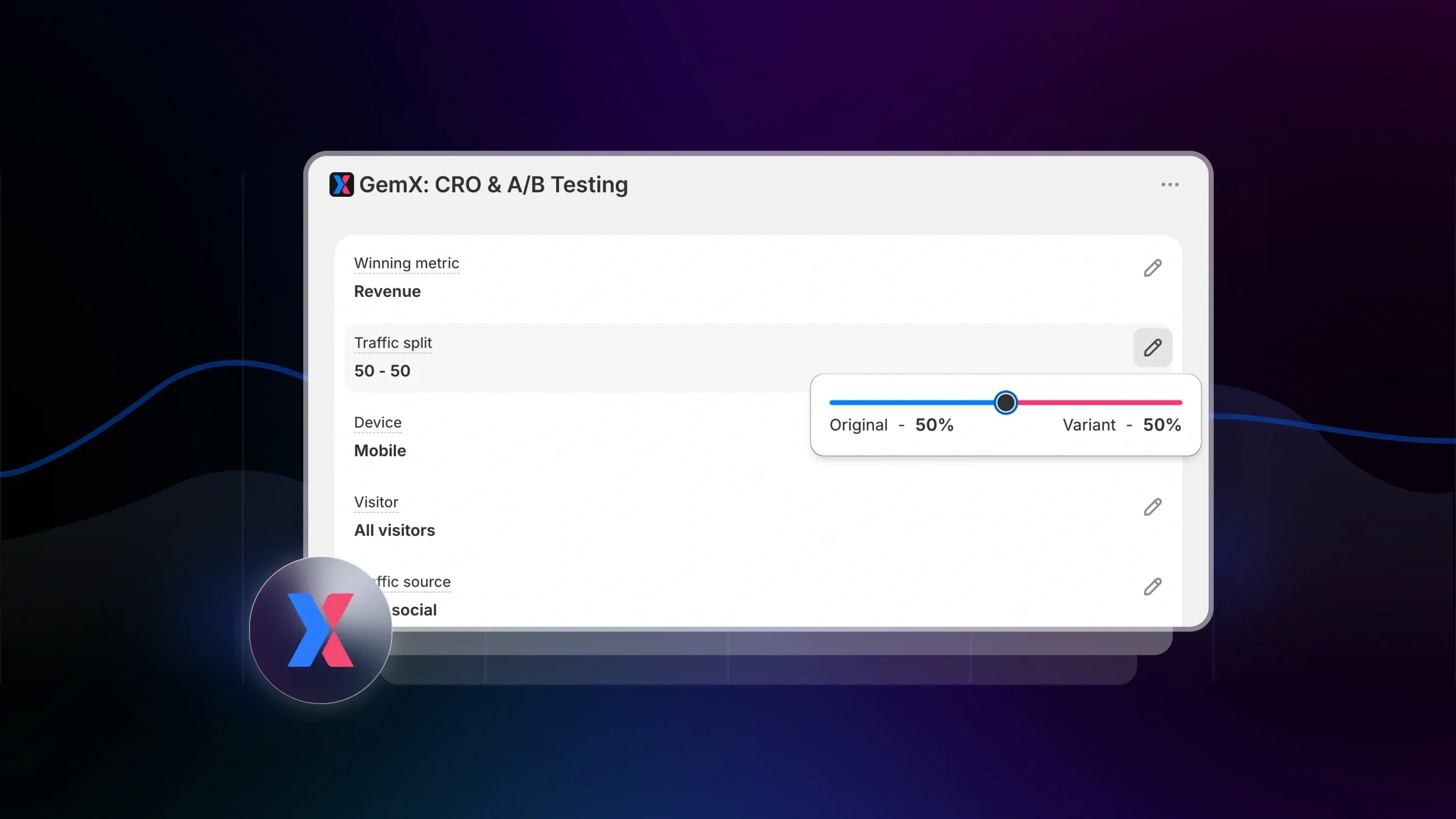
Traffic splitting controls how visitors are distributed between the Control and Variant in a GemX experiment.
When you run an A/B test, GemX does not show every visitor the same version of your page. Instead, eligible visitors are randomly assigned to one of your experiment versions based on the traffic split you set before launch.
This article explains how traffic splitting works, when to use different split ratios, and what to expect when reviewing traffic data in your experiment results.
Learn more: How to Segment Your Traffic to Target the Right Visitor in GemX

What is Traffic Splitting
Traffic splitting is the percentage of eligible visitors who are shown each version of your experiment.
For example, if your experiment uses a 50/50 split:
-
50% of eligible visitors will see the Control
-
50% of eligible visitors will see the Variant
The Control is usually your original page or template. The Variant is the version you want to test against it.
Traffic splitting helps you compare performance between versions using real visitor behavior instead of guessing which version works better.
How Traffic Splitting Works in GemX
When a visitor lands on a page included in a GemX experiment, GemX checks whether that visitor is eligible for the test.
A visitor is eligible when they match the experiment setup, including page conditions, device type, visitor type, traffic source, market, language, and other segmentation settings if configured.
Once the visitor is eligible, GemX randomly distributes them between the Control and Variant based on your selected traffic split.
For example:
-
If the split is 50/50, both versions receive an equal share of eligible visitors over time.
-
If the split is 70/30, the Control receives more traffic while the Variant receives a smaller share.
-
If the split is 90/10, only a small portion of visitors will see the Variant.
GemX then tracks performance for each version so you can compare results such as conversion, revenue, and other experiment metrics.
Common Traffic Split Setups
The right traffic split depends on how confident you are in the Variant and how much risk you want to take.
50/50 split
Use a 50/50 split when you want both versions to collect data at a similar speed.

This is the most common setup for standard A/B tests because it gives the Control and Variant a balanced amount of traffic. If your goal is to learn faster and compare both versions fairly, 50/50 is usually the best starting point.
Use 50/50 when:
-
You are testing a normal design, copy, or layout change
-
The Variant is not risky for the shopping experience
-
You want results to stabilize faster
-
You want both versions to receive similar exposure
70/30 or 80/20 split
Use a 70/30 or 80/20 split when you want to reduce exposure to the Variant while still collecting data.

This setup is useful when the Variant introduces a bigger change, such as a new page layout, a different product information structure, or a bold promotional message.
Use 70/30 or 80/20 when:
-
You want to test a bigger change more carefully
-
You prefer to keep most visitors on the original version
-
You still need enough traffic on the Variant to evaluate performance
-
You are testing on a high-impact page, such as a product page or landing page
90/10 split
Use a 90/10 split when you want to soft-launch a Variant with limited exposure.

This setup is more conservative. It can help you check whether a major change works as expected before sending more visitors to it.
Use 90/10 when:
-
The Variant is a major redesign
-
You want to monitor early behavior before scaling traffic
-
You are testing a high-risk change
-
You want to reduce potential impact if the Variant underperforms
Keep in mind that a smaller Variant share means slower data collection. A 90/10 test may take much longer to collect enough data than a 50/50 test.
How Traffic Splitting Works with Traffic Segmentation
Traffic splitting only applies after GemX identifies eligible visitors for your experiment.
This means segmentation comes first, then traffic split.
For instance, if your experiment targets only mobile visitors from paid social traffic, GemX will first filter visitors based on those conditions. Then, only the visitors who match those conditions will be split between the Control and Variant.
Example: Your experiment setup:
-
Device: Mobile
-
Traffic source: Paid Social
-
Traffic split: 50/50

In this case:
-
Mobile visitors from paid social are eligible for the experiment
-
Those eligible visitors are split between Control and Variant
-
Visitors who do not match the selected segment are not included in the experiment
If you use narrow segmentation, your experiment may receive less traffic. This can make results take longer to stabilize.
Learn more: To configure traffic split together with other targeting options, see: How to Configure the Advanced Settings for Traffic Segmentation
Why Traffic Distribution May Look Uneven at First
It is normal for traffic distribution to look uneven when an experiment has just started.
Traffic split is based on random distribution over time. Because early traffic volume is usually small, the numbers may not match your selected split exactly at the beginning.
For example, in a 50/50 test, the first 20 visitors may not be divided into exactly 10 visitors for Control and 10 visitors for Variant. One version may receive slightly more visitors at first.
As more eligible visitors enter the experiment, the distribution usually becomes more stable and closer to your selected split.
This is why you should avoid judging traffic split accuracy too early, especially when your store has low traffic or your experiment uses narrow segmentation.
Important Notes Before You Change the Traffic Split
Traffic split affects how quickly each version collects data. Before launching your experiment, review your split carefully and make sure it matches your testing goal.
Changing traffic split after an experiment has already started may affect how cleanly you can compare results, especially if the test has already collected meaningful traffic or orders.
For cleaner experiment data, it is recommended to:
-
Decide your traffic split before launch
-
Avoid changing the split frequently during a live test
-
Use 50/50 when your main goal is faster learning
-
Use conservative splits only when the Variant carries higher risk
-
Avoid combining narrow segmentation with very low Variant traffic unless you are comfortable with slower data collection
If you need to adjust traffic split or other advanced settings, pause the experiment first, make the update, and then resume it.
FAQs about Traffic Splitting


