


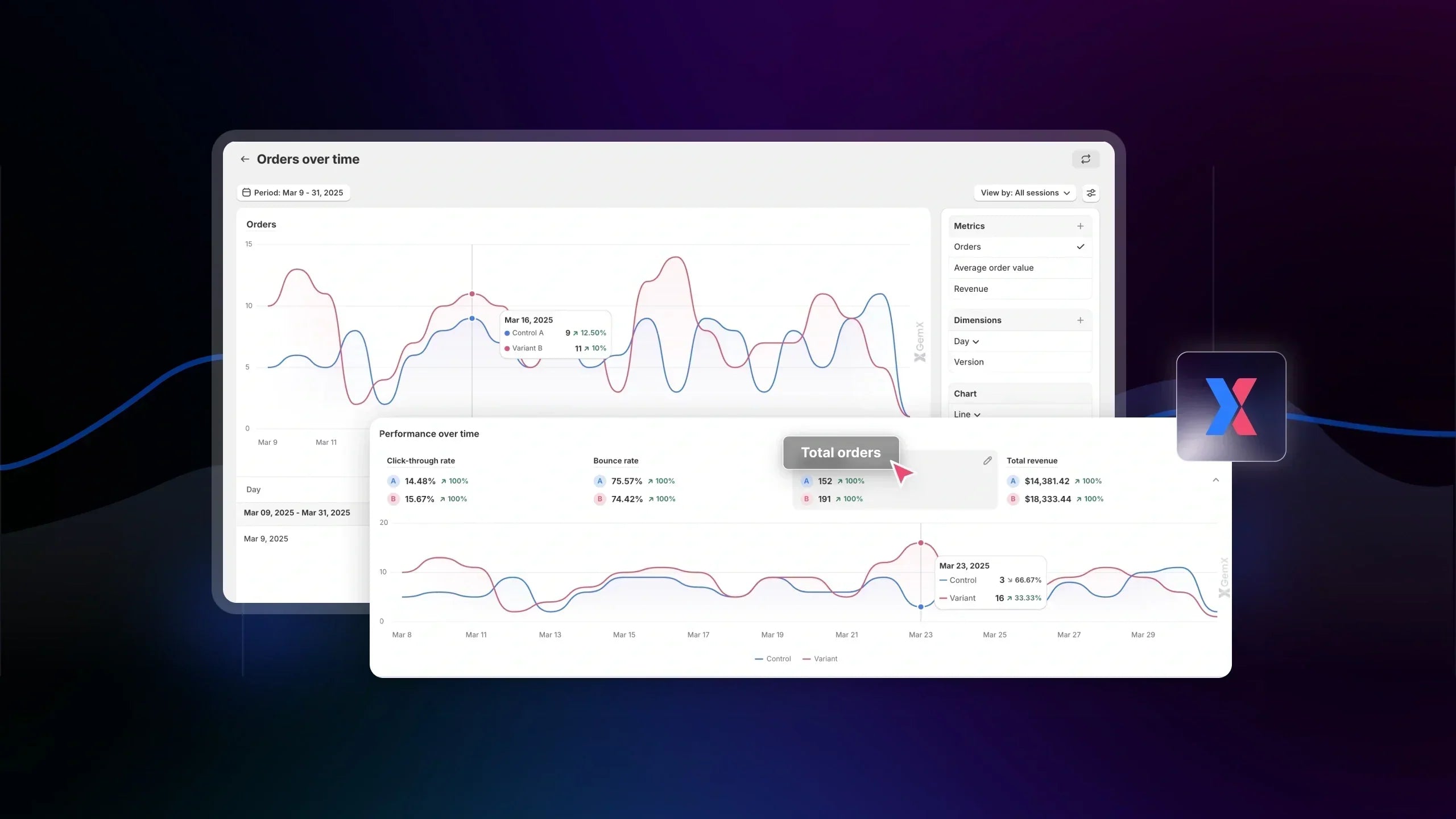
This article explains how Revenue and Orders are calculated in GemX Experiments.
These metrics are calculated in Experiment Analytics and include only orders that can be successfully attributed to an experiment session.
Because of this, your GemX data may not always match Shopify exactly.
What Counts as an Order in GemX
In GemX, Orders shown in the Experiment Analytics screen represent purchases that are generated from experiment traffic and successfully attributed to a variant.

-
Calculation logic
An order is counted when a visitor enters an experiment, is assigned to a variant, and completes a purchase that can be matched back to the same tracked session.
This ensures that every recorded order is directly tied to a specific variant and reflects its actual performance within the experiment.
-
What is included:
Orders are included when they are completed through the standard Shopify checkout flow and can be clearly linked to a user session that passed through the experiment.
As long as the system can match the purchase to the original variant exposure, the order will be recorded and attributed correctly in Experiment Analytics.
Pro tip: You can click on "Total orders" to access the detailed analytics of your orders generated from an experiment over time.

-
What is NOT included
Orders will not be counted if they do not meet the attribution conditions above. This includes failed, draft, or canceled orders, as well as purchases from users who never entered the experiment.
In some cases, even valid Shopify orders may be excluded if they cannot be matched to a tracked session, meaning the system cannot reliably attribute them to a specific variant.
A Common edge Case of Missing Order
An order may appear in Shopify but not in GemX if it cannot be linked to the original session.
For example, if a user is assigned to Variant B, then he pays directly via Apple Pay. In this case, no standard checkout session is recorded, and the order is not counted in GemX.
How Revenue Is Calculated
In GemX, Revenue represents the total value of all orders attributed to a specific variant within an experiment.

-
Calculation logic
Revenue is calculated by summing up the value of all orders generated from users who were assigned to that variant during the experiment.
In other words, each time a tracked user completes a purchase, the order value is added to the total revenue of the variant they were assigned to.
-
What is included
Revenue typically includes the actual value of purchased products after discounts are applied.
This means any promotional pricing or discount codes used during checkout are already reflected in the final revenue number.
Pro tip: You can click on "Total revenue" to access the detailed analytics of the revenue generated from an experiment over time.

-
What may be excluded
Depending on your Shopify store configuration, revenue may not include certain additional charges such as shipping fees or taxes.
How GemX Attributes Orders & Revenue to Variants
Attribution flow
GemX attributes orders and revenue based on the user’s journey through an experiment.
When a visitor enters an experiment, they are assigned to a specific variant, such as Variant A or Variant B. From that point on, all their actions are tracked within that variant.
If the visitor continues their session and completes a purchase, the order is attributed to the variant they were originally assigned to. The corresponding order value is then added to that variant’s revenue.
Attribution rule
Each user is assigned to one variant only, and this assignment remains consistent throughout their journey.
Orders are always attributed based on the first variant the user sees, not the last interaction or final page before purchase. This ensures that each variant is evaluated fairly based on its initial impact on the user.
Important behavior
If a user returns to your store after their first visit, they will still be tied to their original variant, as long as the tracking conditions are still valid.
This means that even if the purchase happens later or through a different session, the order will still be attributed to the same variant the user saw during their first interaction with the experiment.
Why Revenue in Your Experiment May Differ from Shopify
It is normal for Revenue and Orders in GemX to differ from what you see in Shopify reports. This does not indicate a data issue, but rather a difference in how data is collected and attributed.
Partial traffic coverage
Experiments in GemX often run on a specific portion of your traffic, such as a percentage split (e.g. 50/50) or a defined audience.
As a result, GemX only tracks revenue generated from users who actually entered the experiment, while Shopify reports include all store activity.
Attribution differences
Shopify and GemX use different attribution models.
Shopify typically attributes orders based on session or last interaction, while GemX attributes orders based on the variant a user was first assigned to in an experiment.
Because of this, the same order may be interpreted differently across the two systems.
Timing differences
Shopify reports revenue based on the exact time an order is placed.
GemX, on the other hand, ties orders to experiment sessions, which can lead to slight differences in reporting windows, especially when users return and purchase later.
Returning users
If a user enters an experiment and is assigned to a variant, they remain associated with that variant even if they return at a later time to complete their purchase.
This can result in attribution that differs from Shopify, particularly when users revisit your store through a different channel.
Key takeaways: GemX and Shopify serve different purposes.
Shopify provides a complete view of your store’s performance, while GemX focuses on comparing variant performance within an experiment.
For this reason, small differences in revenue and order counts are expected and should not impact how you evaluate experiment results.
How to Use Revenue & Orders in Experiments
Revenue and Orders in GemX are designed to help you evaluate variant performance within an experiment, not to measure your overall store performance.
Instead of focusing on absolute numbers, you should use these metrics to compare how each variant performs under the same conditions.
What to focus on
When analyzing your experiment results, it is more meaningful to look at how Revenue and orders differ between variants.
You should focus on identifying which variant generates:
-
Higher revenue
-
More orders
-
Better conversion rate and revenue

Click "View all metrics" to access the Performance detail for quick comparison
By comparing these metrics side by side, you can clearly see which version performs better and delivers stronger business impact.
What to avoid
It is important not to compare the revenue generated from your experiment directly with your total Shopify revenue, as they represent different scopes of data.
You should also avoid making decisions based solely on raw numbers, since higher revenue does not always indicate better performance if traffic distribution is uneven.
Key mindset
The goal of Experiment Analytics is to help you identify relative performance and uplift between variants.
Rather than asking “How much revenue did this generate?”, the better question is: “Which variant performs better, and by how much?”

FAQs about Revenue & Orders in GemX Experiments


